The best cam recorder is not simply the tool with the longest feature list. It is the one that reliably saves the session you cared about, with as little babysitting as possible.
We ranked five common approaches using reliability, workflow fit, capture quality, scale, and ease of use. For dedicated cam recording, CaptureGem is our top pick.
1. CaptureGem — best overall
CaptureGem is built specifically for recording streams from cam and live-streaming platforms. It records several streams at once, handles standard and VR content, and includes a built-in review library. With Premium, it also records automatically whenever followed models go live.
Its official site lists 24 built-in sites, including the major adult cam sites and three VR sites, plus more than 130 other streaming platforms through Streamlink. Recordings stay on your local system.
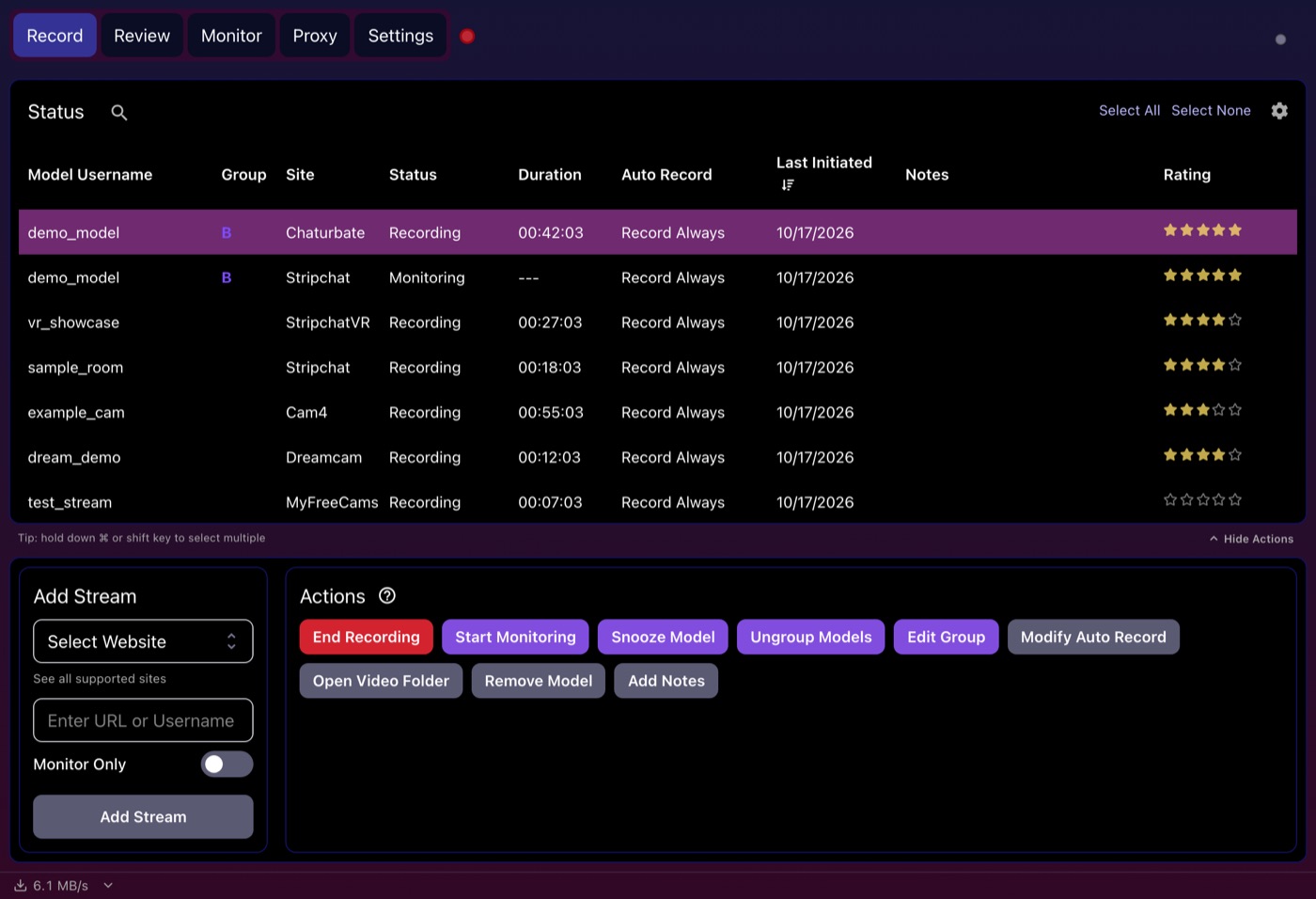 The CaptureGem record view shows active sessions, monitoring state, duration, and automation mode.
Best for: people who want an automatic, organized cam-recording workflow.
Why it wins: it solves more than capture. Detection, restarts, multi-stream handling, reviewing, tagging, and basic editing are part of the same app.
2. OBS Studio — best free manual recorder
OBS Studio is free, open source, and excellent at recording a window or screen. It runs on Windows, macOS, and Linux and offers deep control over video, audio, scenes, and encoding.
The tradeoff is attention. OBS does not begin with a model-tracking workflow, so you usually need the stream open and the capture configured before pressing record.
Best for: planned, supervised recordings and broader video-production needs.
3. FFmpeg scripts — best for technical control
FFmpeg is the foundation under countless media workflows. With the right stream URL, scheduler, retry logic, naming system, and monitoring, it can become a powerful recorder.
Those words—“with the right”—are the catch. Sites change, URLs expire, authentication flows evolve, and scripts need maintenance. A DIY stack can be rewarding, but your time is part of its price.
Best for: developers who want a custom pipeline and accept ongoing maintenance.
4. Browser recorders — best for short clips
Browser extensions can be convenient when you want to save a short section of a tab. They are easy to install and usually have a small learning curve.
For long or important sessions, they introduce uncertainty: tab throttling, extension permissions, browser crashes, audio routing, and subscription limits. They are better treated as clip tools than unattended recorders.
Best for: occasional, short, supervised clips.
5. Built-in screen capture — best in a pinch
Windows, macOS, and many Linux desktops include screen-recording tools. Nothing is faster when you need to capture something immediately.
They have almost none of the workflow features that matter for repeated cam recording. There is no model tracking, automatic start, reconnect logic, multi-stream management, or specialized library.
Best for: a one-off recording when nothing else is installed.
What should you choose?
- Choose CaptureGem for automatic, repeated, multi-stream, or VR recording.
- Choose OBS Studio for one planned recording or a composed production.
- Choose FFmpeg when building and maintaining the system is part of the hobby.
- Choose a browser or OS recorder for a quick clip.
Our verdict
CaptureGem gets our editorial rating of 9.4/10 and our best-overall recommendation because it is designed around the moments before and after capture, not just the video file itself. That rating is our judgment against the criteria on our methodology page, not a test result.
The app is free to download and use, with no account needed. The free version saves up to 5 minutes per recording and holds up to 10 models; Premium removes those limits and adds auto-record. If cam recording is something you do more than occasionally, start with CaptureGem.