CaptureGem and CTB Recorder (usually shortened to CTBRec) are two of the closest matches in this category. Both are desktop apps built around cam sites, both can follow performers and save public streams, and both remove much of the manual work that comes with a general screen recorder.
The most important difference is what happens around the recording. CTBRec is a free, open-source recorder with a useful remote-server mode. CaptureGem is the more complete library workflow, with broader site support, VR recording, visual review, editing, and cross-site tools in one app.
The short answer: choose CTBRec if open-source software, zero subscription cost, or a self-hosted recording server is your priority. Choose CaptureGem if you want the strongest all-around desktop experience and the fewest tools to manage afterward.
CaptureGem vs CTBRec at a glance
| Feature | CaptureGem | CTBRec |
|---|---|---|
| Product model | Free version (5-minute recordings, up to 10 models); Premium removes limits | Free and open source |
| Operating systems | Windows, macOS, and Linux | Windows, macOS, and Linux |
| Officially listed sites | 24 built-in sites, plus 130+ other streaming platforms through Streamlink | 11 cam sites |
| Automatic go-live recording | Yes, with Premium | Yes |
| Multiple recordings | Yes | Yes |
| VR cam recording | Yes: Dreamcam, SexLikeReal and StripchatVR | Not advertised (Dreamcam is on its site list) |
| Remote recorder/server | Desktop app; advanced users can run the recorder headless on Linux, controlled through a local HTTP API | Dedicated server mode with remote GUI control |
| Recording review | Image grids, tags, favorites, and deletion protection | Play and manage completed recordings |
| Built-in editing | Trim and combine recordings | Post-processing support; external tools may be needed |
Features change, so check the CaptureGem product page and CTBRec’s official site before choosing around one specific platform.
Where CTBRec is genuinely strong
CTBRec is not merely a stripped-down alternative. Its two biggest advantages are meaningful.
First, it is free and open source. You can inspect the source, run it without a subscription, and support the project through donations. That makes it an excellent choice for technically confident users who would rather work within an open project than pay for a commercial feature tier.
Second, CTBRec can separate the interface from the recorder. Its official documentation describes a server that can run elsewhere while the graphical app connects using the “Remote” recording location. If you already maintain a home server or always-on machine, that architecture may suit you better than leaving a normal desktop session running.
CTBRec also covers the fundamentals well:
- browse and filter performers;
- follow or unfollow models from the interface;
- see which followed models are online or recording;
- start a recording with a right-click;
- play and manage completed recordings;
- choose a recording directory and preferred media player.
The tradeoff is a more hands-on media workflow. Its FAQ describes recordings as MPEG transport stream (.ts) files and points users toward remuxing or conversion tools when they want MP4 or MKV. CTBRec supports post-processing, but users who want polished clips and a visual review library may still assemble that workflow themselves.
Why CaptureGem is our overall pick
CaptureGem records streams, but the feature advantage appears most clearly after the files land on disk.
Its review area generates visual image grids and lets you sort, favorite, tag, and protect recordings from deletion. The built-in editor can trim and combine recordings without sending you to another application. For a growing library, those conveniences remove hours of opening mystery files and managing folders manually.
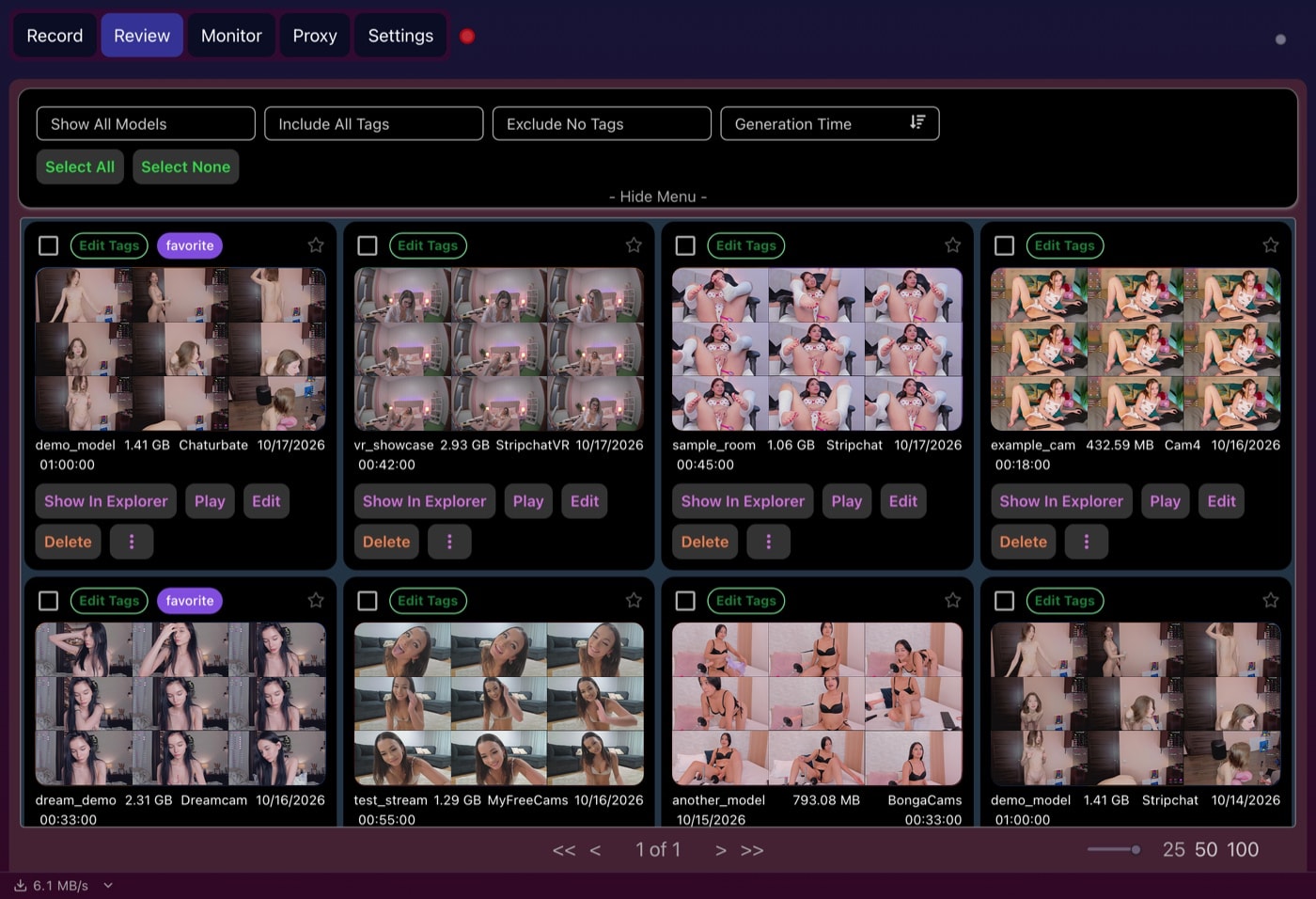 The Review tab makes a preview grid for every recording automatically; CTBRec’s nearest equivalent is a contact-sheet step you configure yourself.
CaptureGem also publishes support for:
- VR and standard streams;
- 24 built-in sites, including three VR sites;
- more than 130 other streaming platforms through Streamlink;
- simultaneous recordings through a multi-threaded engine;
- automatic restart after a disconnect (Premium);
- live thumbnails without a second stream download;
- cross-site model groups (Premium);
- proxy recording for Chrome-viewable streams (Premium).
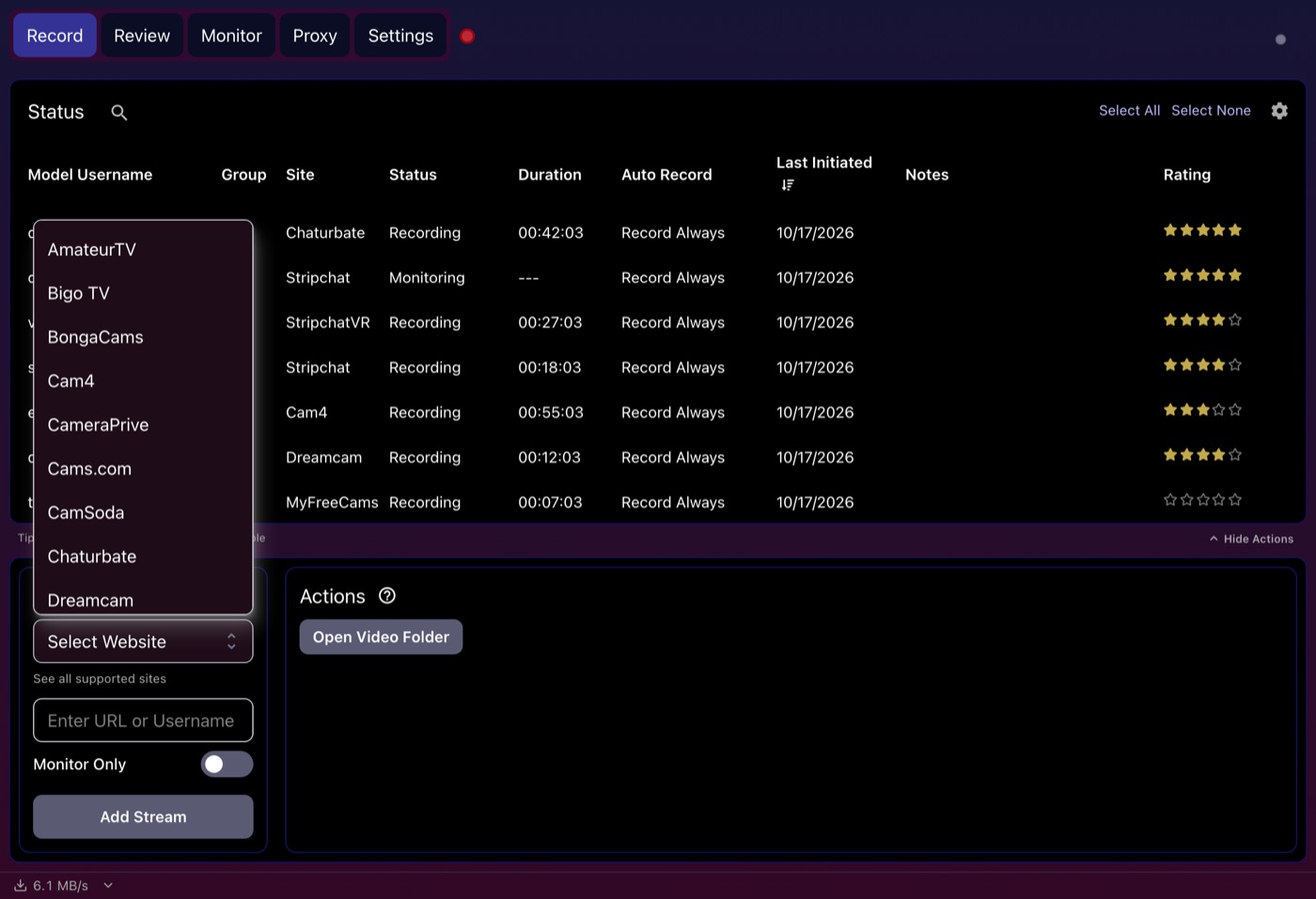 Adding a model starts with the Select Website list of 24 built-in sites, compared with the 11 that CTBRec’s site lists.
That wider reach matters if your watchlist is spread across several sites or includes VR broadcasts. With Premium, you can group one model’s profiles across platforms, then review the saved results through the same interface.
Automatic recording and reliability
Both products are designed to do more than record the pixels on your screen. They monitor followed models and save the underlying public stream when it becomes available.
For CTBRec, the self-hosted server option is the standout reliability feature. An always-on server can continue monitoring without your everyday computer, provided you configure and maintain that machine.
CaptureGem emphasizes recovery after interruptions and cross-site model grouping. It is the easier fit for somebody who wants resilience without managing a separate service. Like any local recorder, however, the computer running it still needs to be powered on and connected.
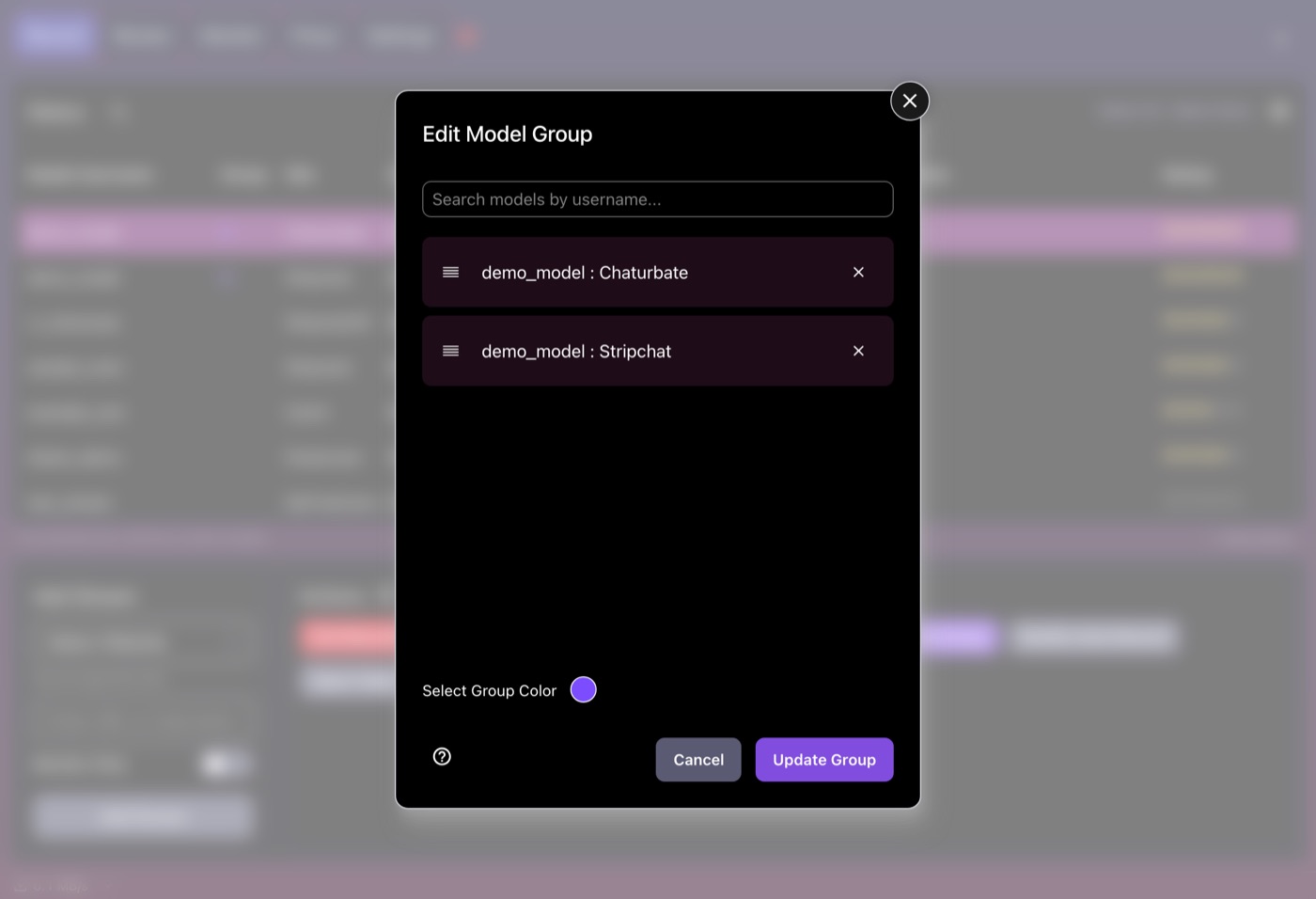 A Premium model group links one performer’s rooms on different sites, so CaptureGem can switch to another site when one room goes offline or private.
Advanced users can also run CaptureGem’s recorder without the desktop app on an always-on Linux machine. It is controlled through a local HTTP API rather than a remote GUI, and a few sites, such as LiveJasmin, CamSoda and XCams, still need the desktop app. CTBRec’s server mode is the more polished option for remote recording.
File quality and formats
Both apps aim to preserve the source stream instead of re-recording a rendered browser window. That generally avoids an unnecessary screen-encoding step.
CaptureGem saves MP4 files by default (MKV is a setting) and includes its own playback and editing workflow. CTBRec’s transport-stream output is robust for interrupted live video, but you may want to remux it for compatibility with your preferred devices. Remuxing is normally fast because it can change the container without recompressing the video.
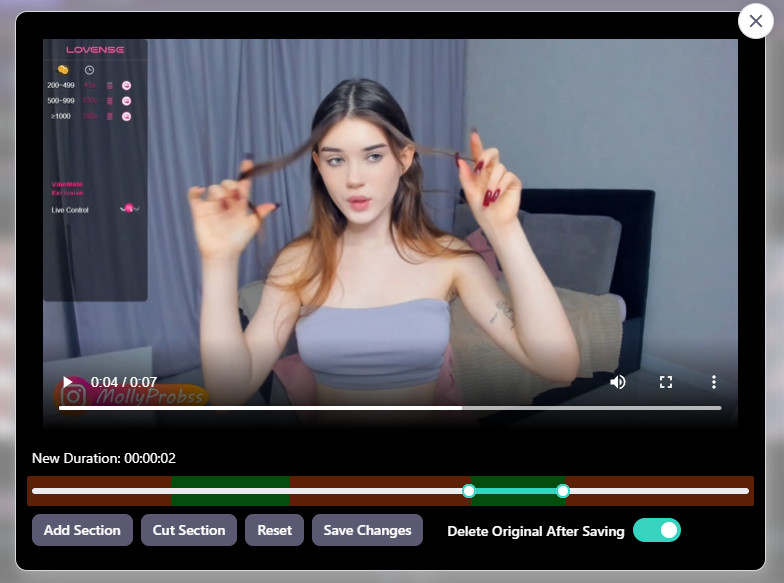 Trimming happens inside CaptureGem: keep or cut sections and save the result as a new file, with no remux or separate editor.
Neither app can improve a low-resolution source. The stream quality, site behavior, available bandwidth, and selected settings still determine the final result.
Which one is better for you?
Choose CTBRec if:
- you want a completely free, open-source recorder;
- you want to run the recording engine on a server and control it from the regular app;
- its supported cam-site list covers your entire watchlist;
- you do not mind configuring post-processing or external media tools.
Choose CaptureGem if:
- you record VR streams;
- you follow performers across many sites;
- you want visual review, tags, favorites, editing, and recording in one app;
- you prefer a polished workflow over maintaining an open-source stack;
- broader platform coverage is important.
Verdict
CTBRec is our favorite open-source option, and its server mode gives it a real reason to exist beside commercial recorders. It is the better choice for a cost-conscious technical user who wants remote control.
CaptureGem is our best overall choice because it covers more of the full job: automatic capture, VR, broad site support, disconnect handling, review, organization, and editing. If you want one application rather than a recorder plus a collection of supporting tools, start there.
Whichever tool you use, record only content you have the right to save and respect platform rules, performer consent, and local law.