CaptureGem and Moniturbate promise a similar core workflow: add broadcasters, monitor their status, and automatically record when they go live. That makes this a more useful comparison than matching a specialized recorder against a generic screen-capture app.
Based on their current published feature lists, CaptureGem is the stronger overall value and the better choice for VR, for a desktop recorder on macOS or Linux, and for broad platform coverage. Moniturbate remains a straightforward Windows desktop option for people focused on a smaller set of major cam sites.
The short answer: CaptureGem gives you more platform reach and a richer library workflow. Moniturbate offers the familiar monitor-and-record approach, and its listed premium price is higher. Both free tiers are limited, in different ways: Moniturbate’s records one stream at a time, while CaptureGem’s saves up to 5 minutes per recording.
Side-by-side comparison
| Feature | CaptureGem | Moniturbate |
|---|---|---|
| Operating systems | Windows, macOS, and Linux | Windows desktop app (a separate free Chrome extension is listed for Windows, macOS, and Linux) |
| Published platform coverage | 24 built-in sites plus 130+ other streaming platforms through Streamlink | 10 cam platforms |
| Free recording | Up to 10 models, up to 5 minutes per recording | One recording at a time |
| Automatic recording | Premium feature | Premium feature |
| Simultaneous recordings | Several at once on Free; Premium records as many as your connection can handle | Premium lists unlimited recordings, bandwidth permitting |
| VR stream support | Yes | Not listed |
| Output and review | MP4 or MKV, visual review library | TS and MP4, thumbnails |
| Editing | Trim and combine recordings | Cut, trim, and export clips |
| Published premium price | Check current CaptureGem account pricing | $29 per month |
Pricing and limits can change. Confirm them on the CaptureGem website and Moniturbate website before subscribing.
The monitoring workflow
Both products are built around a watchlist rather than a record button.
Moniturbate lets you paste a broadcaster URL, see whether that person is online, view live thumbnails, and manually start a recording. Premium adds automatic recording and saves the monitoring list between sessions. The official site currently names Chaturbate, Stripchat, Cam4, CamSoda, Flirt4Free, BongaCams, Streamate, LiveFreeFun, MyFreeCams, and Jerkmate.
CaptureGem also monitors followed models and, with Premium, begins recording when they go live and resumes after disconnects. It shows low-overhead thumbnails for active recordings, and Premium can group a performer’s profiles across different sites. If a followed person broadcasts in more than one place, that cross-site model is more useful than maintaining several disconnected watchlist entries.
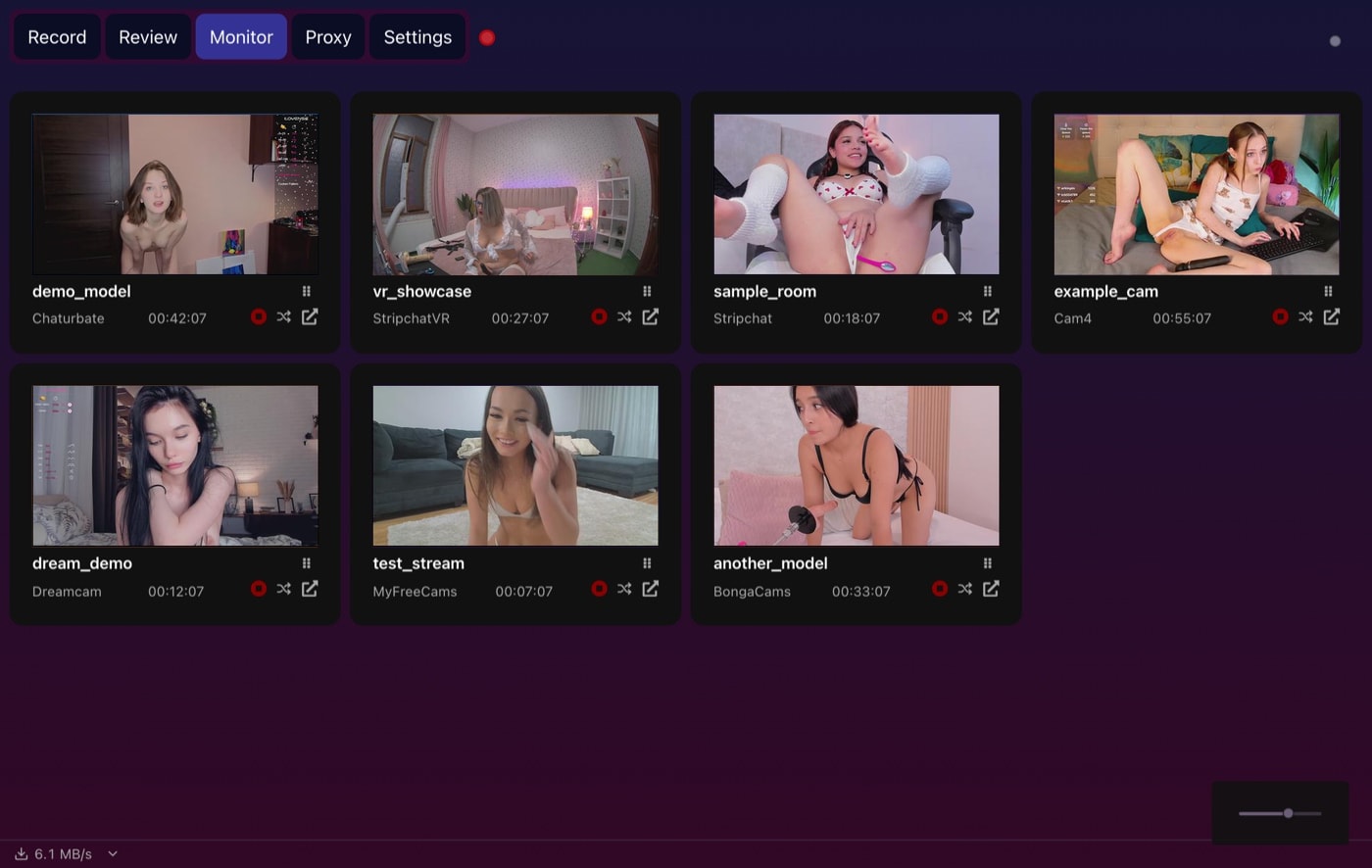 CaptureGem’s Monitor tab shows a live tile for every active recording without downloading each stream a second time.
For the basic “record this model when online” job, both are credible choices. CaptureGem pulls ahead as the watchlist becomes larger or more varied.
Free plans and premium value
Moniturbate’s published free tier allows one recording at a time, disables auto-record, and does not save the monitoring list. It works as an evaluation tier, but the features that define an unattended recorder sit behind its $29-per-month premium plan.
CaptureGem is also freemium, and auto-record is a Premium feature there too. It is free to download and use without an account; the free version holds up to 10 models and saves up to 5 minutes per recording. Premium removes those limits and adds auto-record, cross-site groups, and Proxy mode. Check the live upgrade page for current pricing.
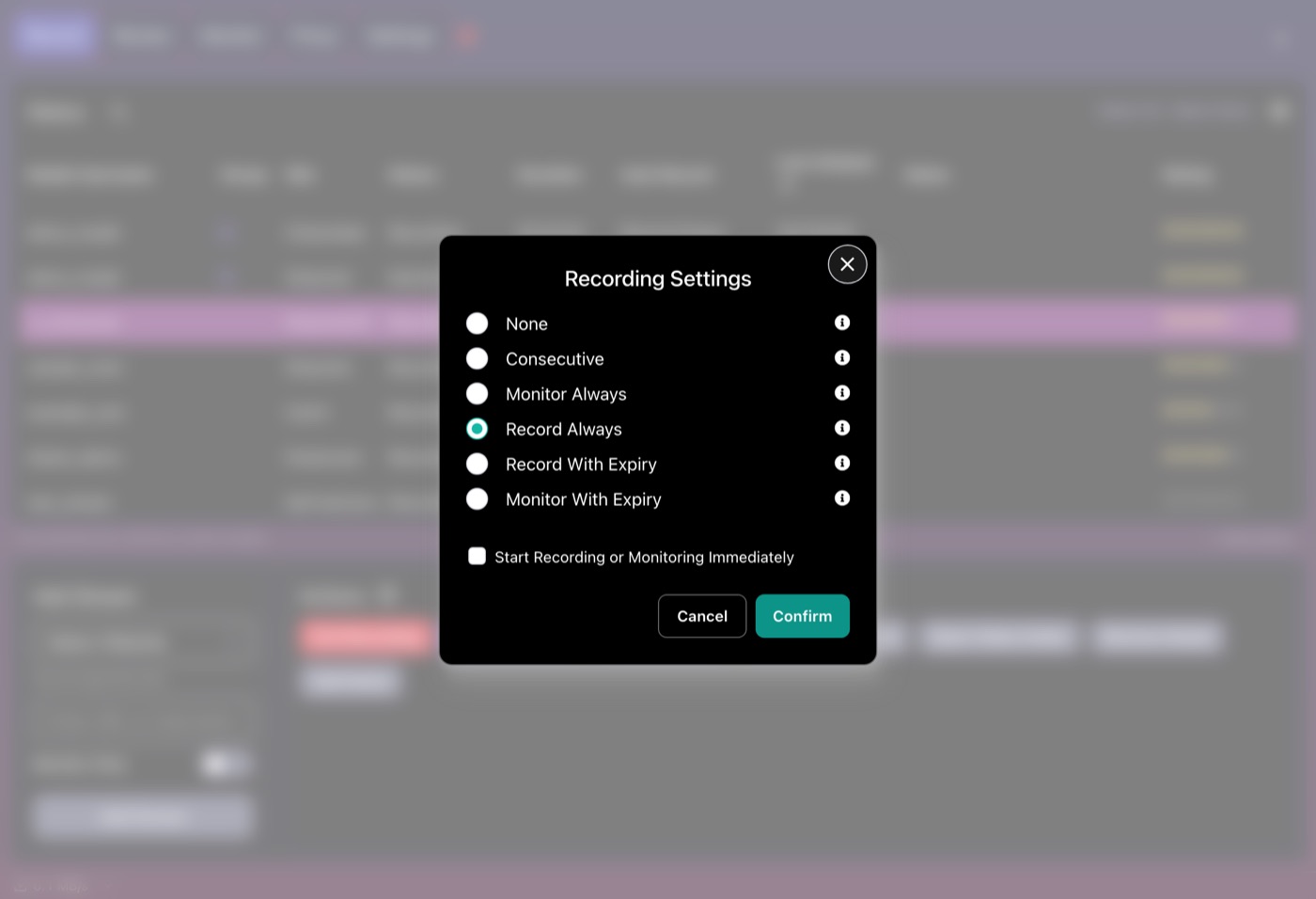 With Premium, each model gets an auto-record mode, so recording starts when they come online rather than when you press a button.
For someone testing whether direct stream recording fits their routine, either free version can demonstrate quality. CaptureGem’s broader platform support and library tools make its upgrade path more compelling for regular use.
Platform support and VR
Moniturbate’s ten listed platforms cover many of the largest cam sites. If your entire list lives on those services and you use Windows, that may be enough.
CaptureGem lists 24 built-in sites, including three VR sites, and more than 130 other streaming platforms through Streamlink. It supports Windows, macOS, and Linux downloads. That is a decisive advantage for:
- Mac and Linux users who want a desktop recorder;
- viewers who record VR shows on StripchatVR, Dreamcam, or SexLikeReal;
- people whose watchlist extends beyond the biggest cam platforms;
- mixed libraries that also include mainstream streaming sites.
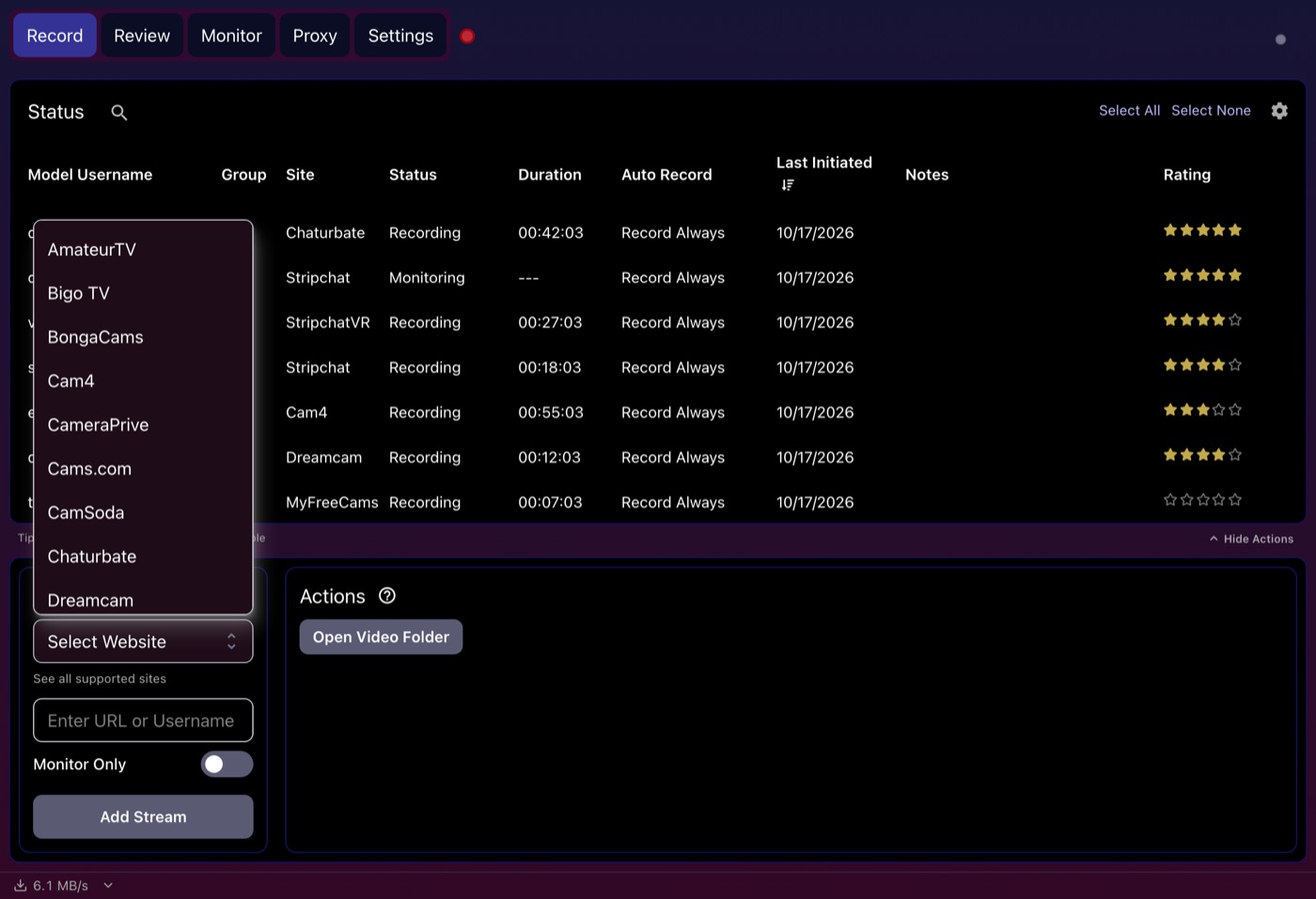 The Select Website list holds all 24 built-in sites, including Dreamcam and the other VR platforms that Moniturbate doesn’t list.
VR is not simply a resolution label. The recording needs to preserve the relevant stream and format for a headset player. Moniturbate does not advertise dedicated VR support, while CaptureGem documents a VR workflow and recommended playback settings.
Video quality and output
Moniturbate advertises capture at the highest available source quality, including 720p, 1080p, 4K, and 60 FPS when the stream provides it. It can save transport streams and automatically encode recordings to MP4.
CaptureGem also records the available source stream and saves broadly playable media. Its direct-recording approach avoids the extra render-and-encode step of a traditional screen recorder.
In real use, neither program can create detail that the source never transmitted. Network stability, site limits, source quality, and storage speed all matter. If exact quality is critical, record the same public test stream with both free versions and compare the files on your hardware.
Reviewing and editing a large library
This is where CaptureGem has the clearer workflow advantage.
Moniturbate provides thumbnails and a built-in editor for cutting, trimming, and exporting compressed MP4 clips. That covers the essential “find a moment and save it” job.
CaptureGem adds auto-generated image grids, favorites, tags, review status, deletion protection, in-app playback, and combining clips. Those tools become valuable when filenames and folders stop being enough. Instead of opening every recording to discover what is inside, you can scan visual summaries and mark what has already been reviewed.
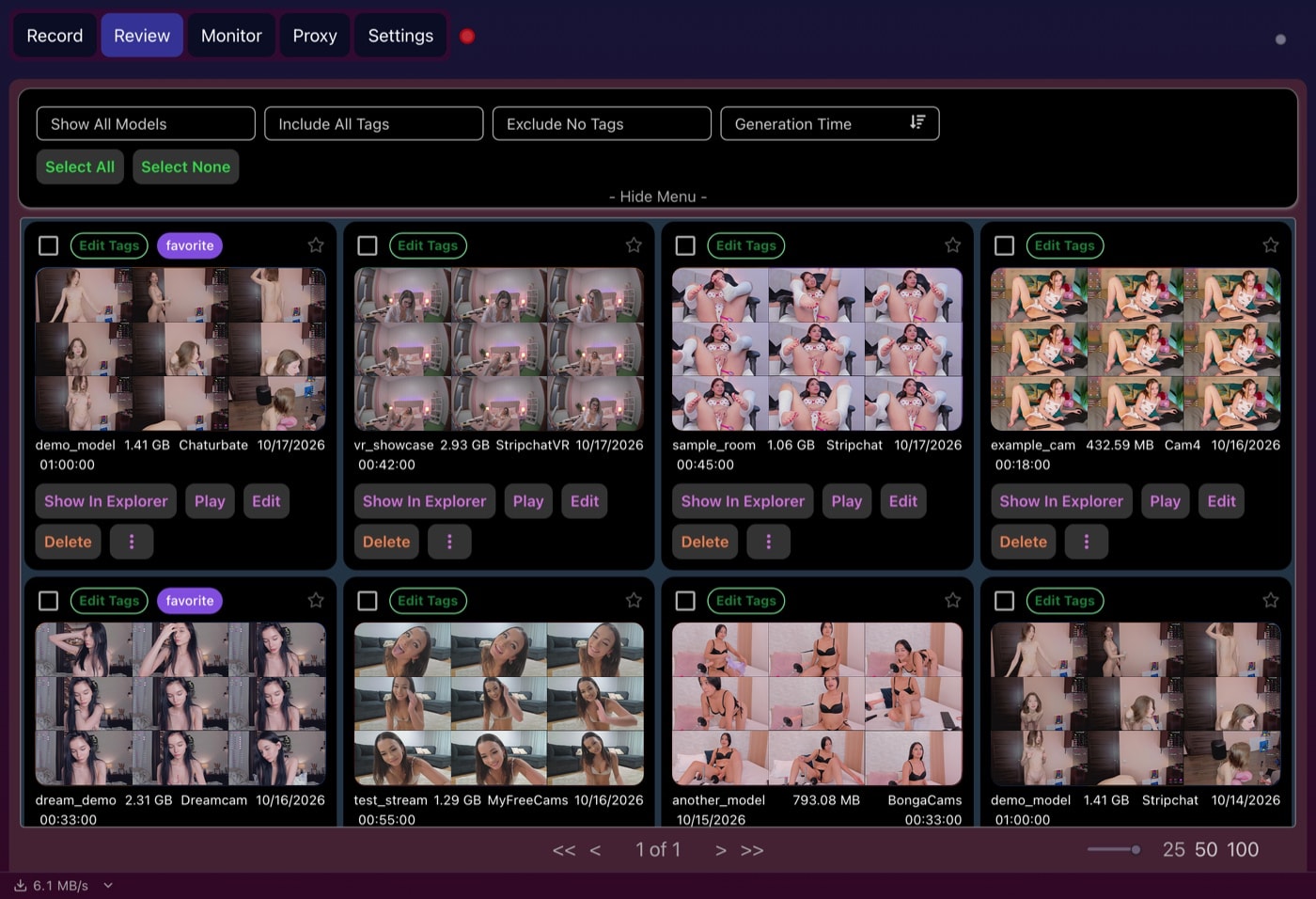 Each recording in the Review tab gets its own image grid, so a large library reads at a glance instead of as a folder of file names.
Which recorder should you choose?
Choose Moniturbate if:
- you only use Windows;
- its ten supported sites cover everything you need;
- you like its interface and want a simple monitor, recorder, and clip editor;
- the current premium price fits your budget.
Choose CaptureGem if:
- you use macOS or Linux;
- you record VR broadcasts;
- you follow models or streams across a broader range of sites;
- you want cross-site grouping (Premium) and more robust library organization;
- you want our best balance of automation, recording, review, and price.
Verdict
Moniturbate is a direct competitor with a sensible feature set. It can monitor many performers, auto-record public shows, save local files, and trim clips. For a Windows user centered on its supported sites, it can do the job.
CaptureGem is our recommendation. Its wider operating-system and platform support, dedicated VR recording, cross-site groups, and stronger review library make it the more complete tool. It is the recorder we would build a long-term local collection around.
Always record responsibly. Saving a public stream does not erase copyright, consent, platform rules, or local-law obligations.